We Care About Your Privacy
By clicking “Accept all”, you agree to the storing of cookies on your device to enhance site navigation, analyze site usage, and assist in our marketing efforts. View our Privacy Policy.
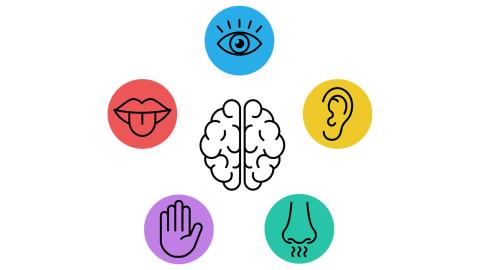
Sensory needs (considering lighting, noise, textures, smells etc.) are now being seen as a central part of school design. It is widely recognised that overwhelming environments can block learning or trigger distress. Each learning environment presents its own opportunities and challenges to reducing sensory overload. Luckily, there are lots of small changes that can make a big difference to your learners!
Tip or Idea: There are a number of simple adaptations you can incorporate, such as prioritising natural light where possible; making noise-cancelling headphones available to learners; offering calm corners with weighted blankets and other sensory aids; opening windows to aid ventilation; and presenting a clear, clutter-free learning environment with visual timetables and signage.
Learning Village resource: Use our visual Classroom Instruction Flashcards to provide a clear visual structure to support students who process information visually.


Learners may have difficulties expressing their own ideas, thoughts and feelings.
Tip or Idea: Name the emotions. Use puppets, flashcards or simply hide and uncover your own face. Who can be first to name the emotion? Extend by giving a reason why e.g. He is happy because…
Learning Village resource: Feelings Snakes & Ladders game - land on a picture. Describe it and move forward 1 space! (I am happy when…/I am sad when…/I am shocked when…)
In English, there are 44 speech sounds. Creating speech sounds is a more complex process than you might think! It requires the coordination of different muscles and structures. The lips, tongue, teeth and other parts of our mouth all play an important role. Where learners have difficulties creating certain sounds, their fluency, ability to be understood and confidence in speaking aloud can all be affected.
Pre-teaching helps learners to enter a lesson feeling confident, independent and ready to shine! It can be used to promote curiosity before a lesson, expose learners to new, unfamiliar vocabulary or concepts and/or allow them to tackle tasks at their own pace before working in a larger group setting.


Blended vocabulary, language structure and reading programme for EAL and multilingual learners
Once you have registered for your free trial we will be in touch to get you started on the first step of your Learning Village Journey.